Holiday Gift Guide: 15 Retro Gaming Gifts Under $50
Fifteen retro gaming gifts that stay under fifty dollars, from cleaning kits and cartridge stands to...

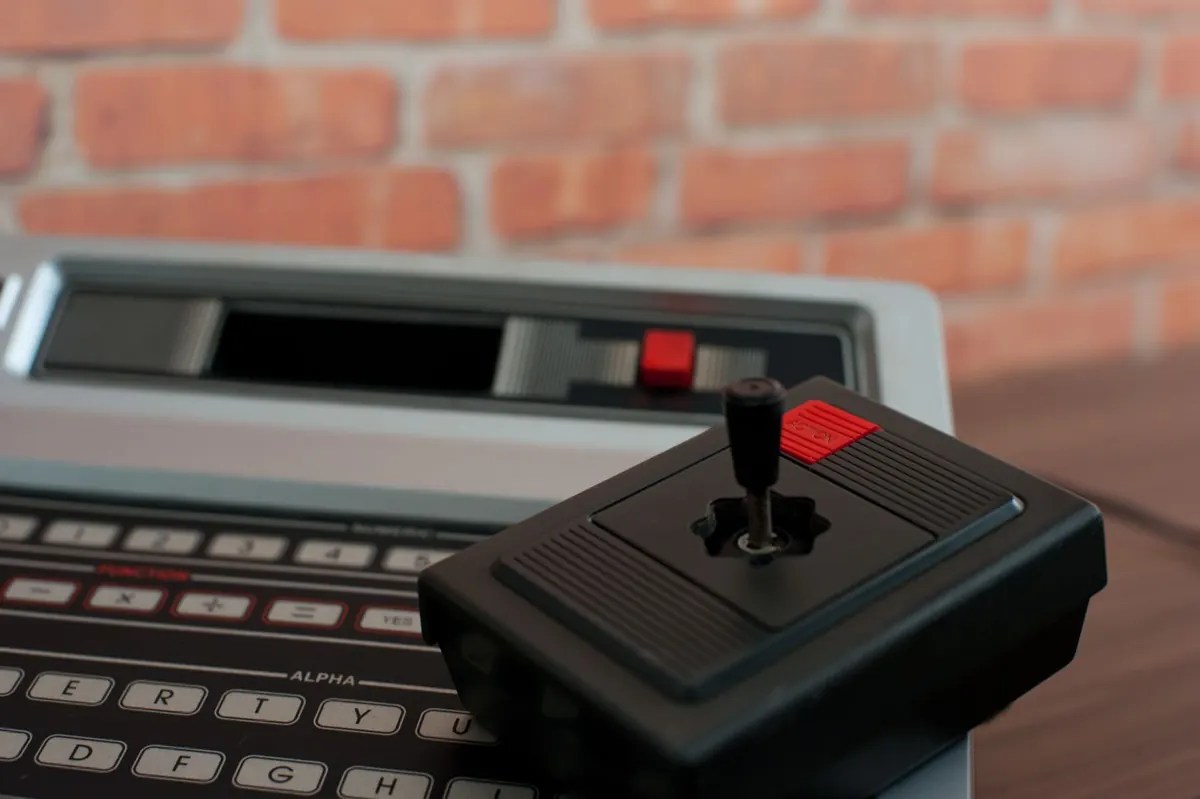
The most important thing about an 8-bit console was never the processor. It was the cartridge slot, the cross-shaped pad, and the two small buttons beside it. Those three ideas, worked out between the late 1970s and the late 1980s, set the vocabulary that games still speak: a fixed box under the television, software you swap in and out, and a controller you can understand in ten seconds. Everything since has mostly been decoration on that frame.
Atari put the cartridge at the centre of home gaming in 1977, and the move looks obvious only in hindsight. It was a design argument: build the console as a cheap, stable platform, then let the software carry all the ambition. You were not buying a machine that did one thing. You were buying a machine that could become a different machine every time you pushed in a new board.
By the time the Famicom arrived in Japan in 1983 and the NES reached North America in 1985, cartridges had stopped being simple boards of read-only memory. Manufacturers packed extra hardware inside the plastic shell: mapper chips that let a cartridge address far more data than the console's own wiring allowed, extra memory, and eventually a small battery that kept a save file alive after the power switch clicked off. The Legend of Zelda and Kirby's Adventure are remembered for their worlds, but both depended on a coin cell most players never saw.
That arrangement had a quiet consequence for players, too. Hardware stayed affordable because it did not need to be powerful. The money went into the games, one at a time, which is why a shelf of cartridges felt like a library rather than an upgrade path.
Nintendo's d-pad grew out of the Game & Watch handhelds: four directions pressed with one thumb, unambiguous, entirely digital. A joystick is analog and forgiving. A d-pad is precise and honest, and it forced designers to build movement that could be trusted frame by frame.
The two action buttons were the more interesting decision. Two buttons means two verbs. Designers had to decide what a game was actually about, then commit to it. Run and jump. Shoot and jump. Jump and whip. Mario's run button turns a cautious walk into a committed sprint; the whip in Castlevania has a wind-up you have to plan around. Nothing is wasted because nothing is spare.
8-bit consoles drew with tiles and sprites, from a fixed palette, with a hard cap on how many objects could share a horizontal line. Push past that cap and things flicker. Every player of Mega Man has seen an enemy blink out for a frame. Designers worked around it by spacing enemies out, cycling colours to fake animation, and reusing tiles until a castle wall felt like a castle wall.
The grid underneath all of it was a gift. One screen of blocks is a sentence: a gap, a platform, a hidden block, a pit. Super Mario Bros. 3 and the Mega Man series arrange those sentences with real grammar, and the reason they still feel tight is that nothing on screen is accidental.
Sound chips of the era offered a handful of channels: typically a couple of pulse waves, a softer triangle-ish voice for bass, and a noise channel for percussion. No samples worth speaking of, no reverb, no layering.
Composers responded by turning arithmetic into melody. Fast arpeggios imply chords that the hardware cannot actually play at once. A bassline doubles as a second melody. A noise channel becomes a snare, a hi-hat, a distant explosion. The overworld theme from Super Mario Bros. and the title music of Mega Man 2 are hummed by people who have never owned the consoles, and both were written for fewer independent voices than a barbershop quartet.
There was no room on a cartridge for a voice-over explaining the controls, and no appetite for one. Manuals did the heavy lifting, which is why they were often beautifully illustrated booklets rather than folded slips of paper.
The games themselves taught through layout. The first Goomba in World 1-1 walks toward you across an empty stretch of ground, and the block above hands you a mushroom if you jump. Danger, then reward, with no text in between. A good 8-bit level introduces a mechanic in a safe room and tests it two screens later under pressure, and that rhythm is still the cleanest way to teach a player anything.
You do not need original hardware to understand why these games work, though it is a nice way to spend a weekend. Most of the major libraries have been reissued in official collections for modern consoles and computers, and that is the simplest legal route in. If you do go down the original-hardware path, budget for a CRT or a decent upscaler, because these games were drawn for a blurry screen and lose some of their charm when stretched to a 4K panel.
The appeal is not nostalgia. A tight verb set, a readable screen and a piece of software that can turn a modest box into something new remain the cheapest ways to make a game feel good. Two buttons and a d-pad will tell you a great deal about a design in about sixty seconds.
Fifteen retro gaming gifts that stay under fifty dollars, from cleaning kits and cartridge stands to...
A practical playbook for starting a monthly retro gaming meetup: finding a venue, picking a format,...
Nine mistakes new retro collectors repeat, from overpaying for loose discs to storing boxes in damp...